
 GlassCut
Working with Slides
The Slide class is the entry point for reading whole slide images.
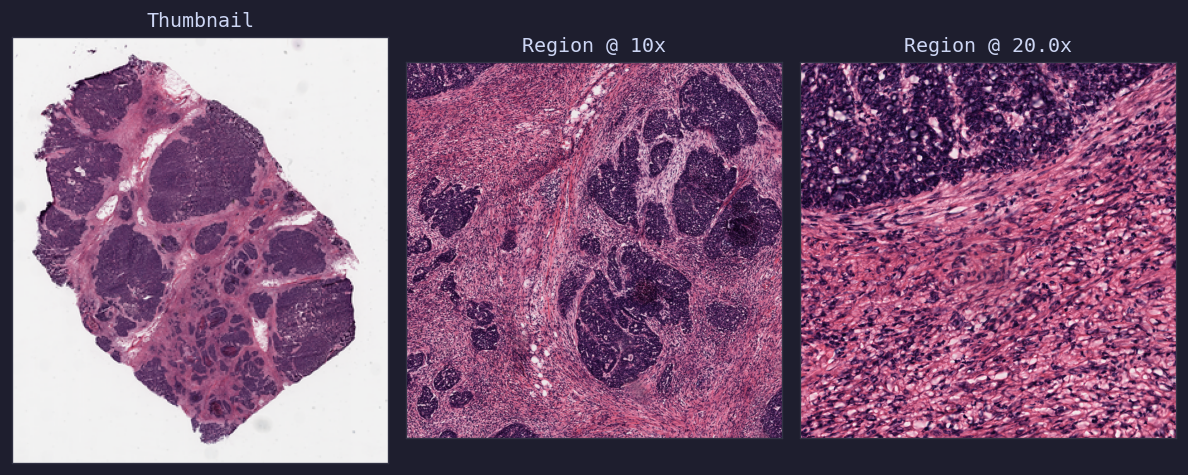
Whole slide image: thumbnail, 20x region, and high-magnification region of heart tissue (Aperio AT2)
Opening a Slide
from glasscut import Slide

slide = Slide("path/to/slide.svs")
By default, Slide attempts to use the CuCim GPU backend first. If CuCim is not
available or fails, it falls back to OpenSlide. You can force CPU-only mode:
slide = Slide("path/to/slide.svs", use_cucim=False)
Slide Properties
slide.name            # File name without extension
slide.dimensions      # (width, height) at base magnification
slide.magnifications  # List of available magnifications
slide.mpp             # Microns per pixel
slide.properties      # Full metadata dictionary
slide.thumbnail       # PIL Image thumbnail
Context Manager
with Slide("slide.svs") as slide:
   print(slide.name)
Backends
GlassCut provides two backends implementing the SlideBackend
abstract interface:
Backend |
Hardware |
Dependencies |
|---|---|---|
CPU |
openslide-python, openslide-bin |
|
GPU (CUDA) |
cucim, cupy-cuda13x |